Bangla QR: one payment code for every shop in Bangladesh
Bangla QR is Bangladesh's national QR standard for retail payments. Here you will find what it is, how Bangla QR payment works, and where you can use it, including what changed in 2026 when Bangladesh Bank made it mandatory.
On this page
Bangladesh Bank's Bangla QR guidelines in plain language, along with later circulars as reported in the news and information published by participating banks. This is an independent site, not a payment service.
What is Bangla QR?
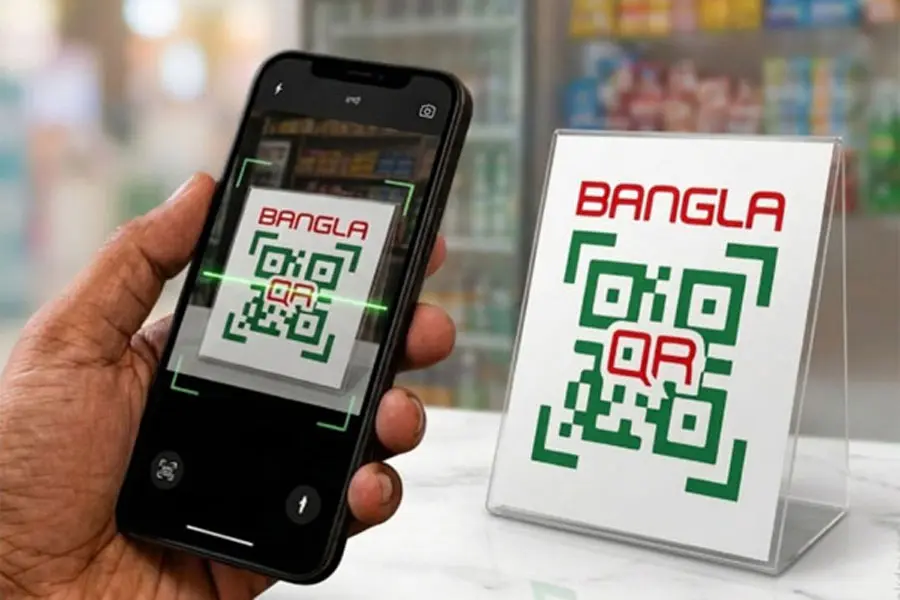
Bangla QR is Bangladesh's national standard for QR code payments at shops and other merchant points. Bangladesh Bank developed it in consultation with banks and other providers, and it is the standard behind the Bangladesh QR payment system: a merchant shows one QR code, and customers of participating banks and mobile financial service (MFS) providers scan it with their own app to pay.
Before Bangla QR, many banks and MFS providers issued their own QR codes. A shop often accepted digital payments from only one provider, so other customers had to pay in cash. Bangla QR replaces those separate codes with a single shared one.
The sections below walk through a payment step by step, where customers and merchants can use Bangla QR, and the questions that come up most often.
Key dates
-
6 January 2021
Bangladesh Bank issued its guidelines for Bangla QR code-based payments.
-
January 2023
An interoperable Bangla QR pilot began in Motijheel, Dhaka.
-
1 April 2026
A Bangladesh Bank circular told banks, MFS providers, PSPs and PSOs to replace their own QR codes at merchant points with Bangla QR by 30 June.
-
1 July 2026
Bangla QR use became mandatory.
-
1 October 2026
A 17 September circular reportedly requires Bangla QR payments to be credited to the merchant's account instantly.
Prothom Alo reports that by 2025, 46 banks, seven MFS providers and four payment service providers had joined, and about 963,000 merchants were using Bangla QR. Dates reviewed on 20 September 2026.
How Bangla QR works
Bangla QR is merchant-presented: the shop shows the code and the customer scans it.
-
1
Merchant shows the code
The merchant gets a Bangla QR through their bank or MFS provider and displays it at the counter, as a sticker or on a screen.
-
2
Customer scans
The customer opens their own participating bank or MFS app, chooses the scan option, and scans the code.
-
3
Customer checks and confirms
Check the merchant name and amount. If the code does not include an amount, you type it in. Confirm with your PIN, password or biometric.
-
4
Payment completes
The customer's bank or MFS provider authorises the payment, and the customer and merchant are notified. The customer can review it later in the app's history.
Pay safely
Use Bangla QR responsibly.
- Never share your PIN, OTP or password with anyone.
- Check the merchant name before you confirm.
- Check the amount before you approve.
- Use only trusted bank or MFS apps.
- Contact your bank quickly if a transaction looks suspicious.
Where and how Bangla QR can be used
For customers
- Pay at merchant points that show the Bangla QR logo or code, from shopping malls to roadside vendors.
- Scan with the app of your own participating bank or MFS provider.
- Look for the Bangla QR option in your app. Bangladesh Bank has directed banks and MFS providers to make it easy to find.
For merchants
- Get a Bangla QR through a bank or MFS provider after onboarding and verification.
- Display it where customers can see it. A 2026 circular requires merchant points to display Bangla QR.
- Accept payments with a QR code instead of a costly POS terminal, which Bangladesh Bank's guidelines present as a way to include small and micro merchants.
Rollout is still under way. Support, transaction limits and onboarding steps vary by bank and MFS provider, so check with yours.
Key features and benefits
One QR, many apps
A merchant shows a single code that customers of participating banks and MFS providers can scan with their own app.
Lower cost for small merchants
Bangladesh Bank describes QR payments as a low-cost alternative to POS devices, so small and micro merchants can accept digital payments.
No extra charge for customers
The guidelines advise providers not to pass the merchant discount rate on to customers.
Less cash handling
There is no need for loose change and no risk of accepting counterfeit or torn notes.
Instant notifications and records
Customer and merchant are notified when a payment completes, and each transaction leaves a digital record.
Authorised by your own provider
Your bank or MFS provider authorises each payment, confirmed with a PIN, password or biometric.
Frequently asked questions
About this site
This is an independent informational website about Bangla QR. It is not affiliated with, operated by, endorsed by, or sponsored by Bangla QR or Bangladesh Bank, and it does not provide QR generation, payment processing, financial services, or account support.
The information comes from the public sources listed below and was reviewed on 20 September 2026. Rules and deadlines can change, so confirm current requirements with your bank, MFS provider, or Bangladesh Bank.